Templates
Overview
This feature allows you to create background layers with embedded geographic orientation that can be used when building interactive maps.
How to Create a New Template
Go to Map Builder > Templates in the main navigation
Click the + icon in the top right
How to Edit Templates
Go to Map Builder > Templates in the main navigation
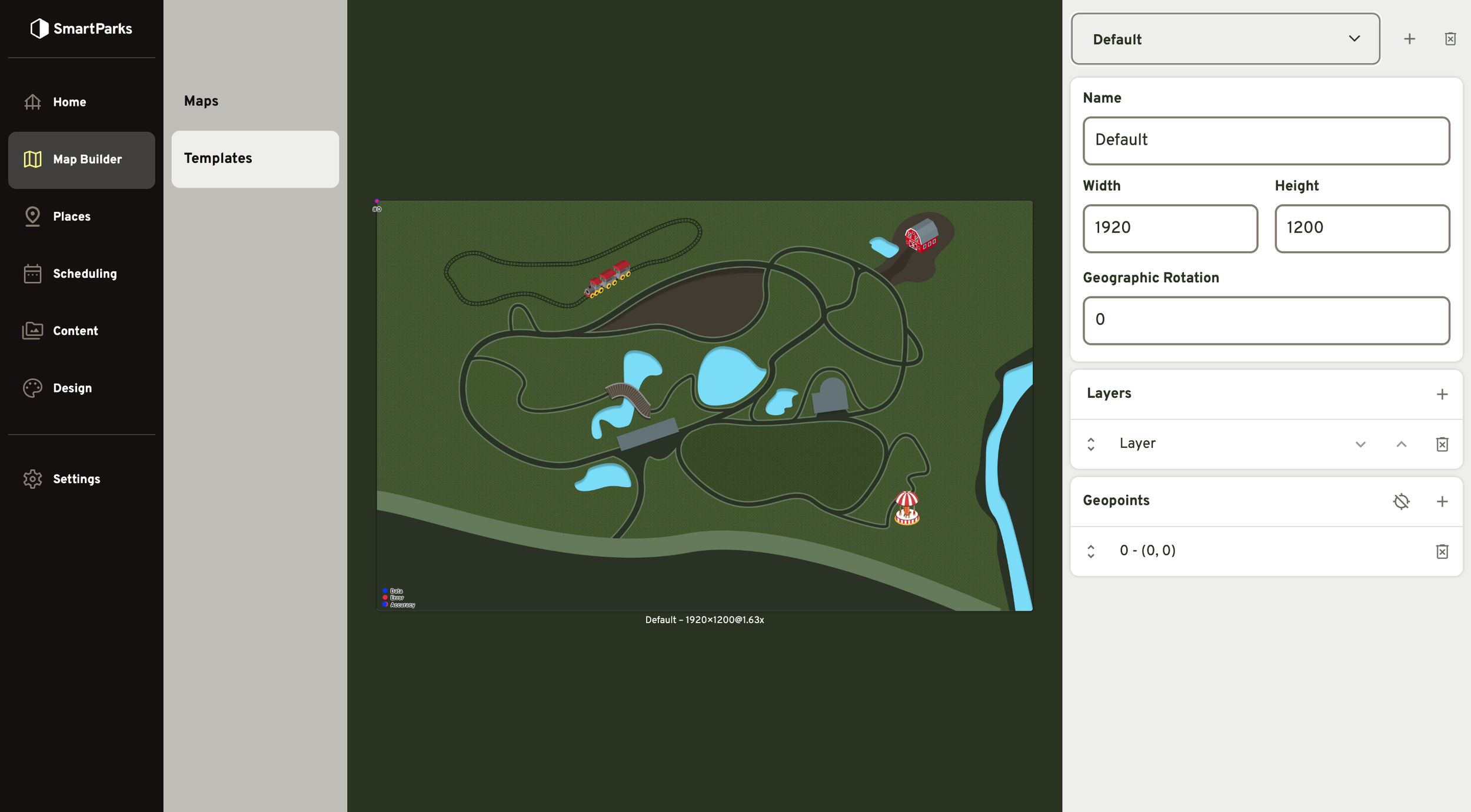
Select the template you’d like to edit in the dropdown in the top right
Edit the fields in the right panel. Note: Changes are saved automatically, you do not need to click a button to save.
Name: This is used for identifying the template in the admin interface. It is not displayed publicly in the mobile app.
Width & Height: These dimensions will determine the size and aspect ratio of maps that use this template. The aspect ratio should match the image used for the background layer, but the resolution can differ. For example, if your background image is 1000x1000 pixels, you can set the width and height to match these dimensions. However, you can also choose to use a higher resolution image of 2000x2000 and set the height and width to 1000x1000. This will result in a higher pixel density for the image and it will appear crisper when users zoom in close on the map. The exact size and resolution should be tested and tuned. We’re happy to help with this if you ever run into problems or questions.
Geographic Rotation: This field allows you to rotate the template so that the background image properly aligns with geographic direction. For example, the top of your map may not be exactly aligned with “true north”. The value entered here should be a number between 0 and 360.
Layers
This feature allows you to add a background image to the template.
- To create a new Layer, click the + icon in the top right of the Layers section.
Note: This feature was originally designed to support multiple layers of images stacked on top of each other. However, we recommend only using a single layer. Future updates to the product will remove the ability to have multiple layers.
Geopoints
This feature allows you to add geographic location data that aligns with various positions on your background image.
To create a new Geopoint, click the + icon in the top right of the Geopoints section.
To edit a Geopoint, first click the row to expand it.
X & Y: These are the values in pixels of the position of the Geopoint on the image. Zero values for both is the first pixel in the top left. Values should be positive numbers. The “Place with Mouse” button can be used to click on the map and set the X & Y positions automatically.
Latitude & Longitude:
Tips for creating Geopoints.
A minimum of 3 Geopoints is necessary for the system to triangulate the user’s position. However, we recommend adding between 6 and 10 Geopoints in order to more accurately calculate users’ positions.
Try placing Geopoints at easily identifiable locations, such as entrances to exhibits and intersections of walkways.
Make sure you’ve added Geopoints spread out throughout the zoo. For example, you should have at least 1 Geopoint towards each of the corners and 1 towards the center.
Use the “View on Google Maps” link to double check your latitude and longitude position.