Place Types
Overview
This feature allows you to organize places within the Info tab of the mobile app. Place types have two levels of hierarchy. The top level displays as a list of links on the main Info screen. The second level creates sections with headings on Place Type detail pages.
How to Create a New Place Type
Go to Places > Place Types in the main navigation
Click the “New Place Type” button in the top right
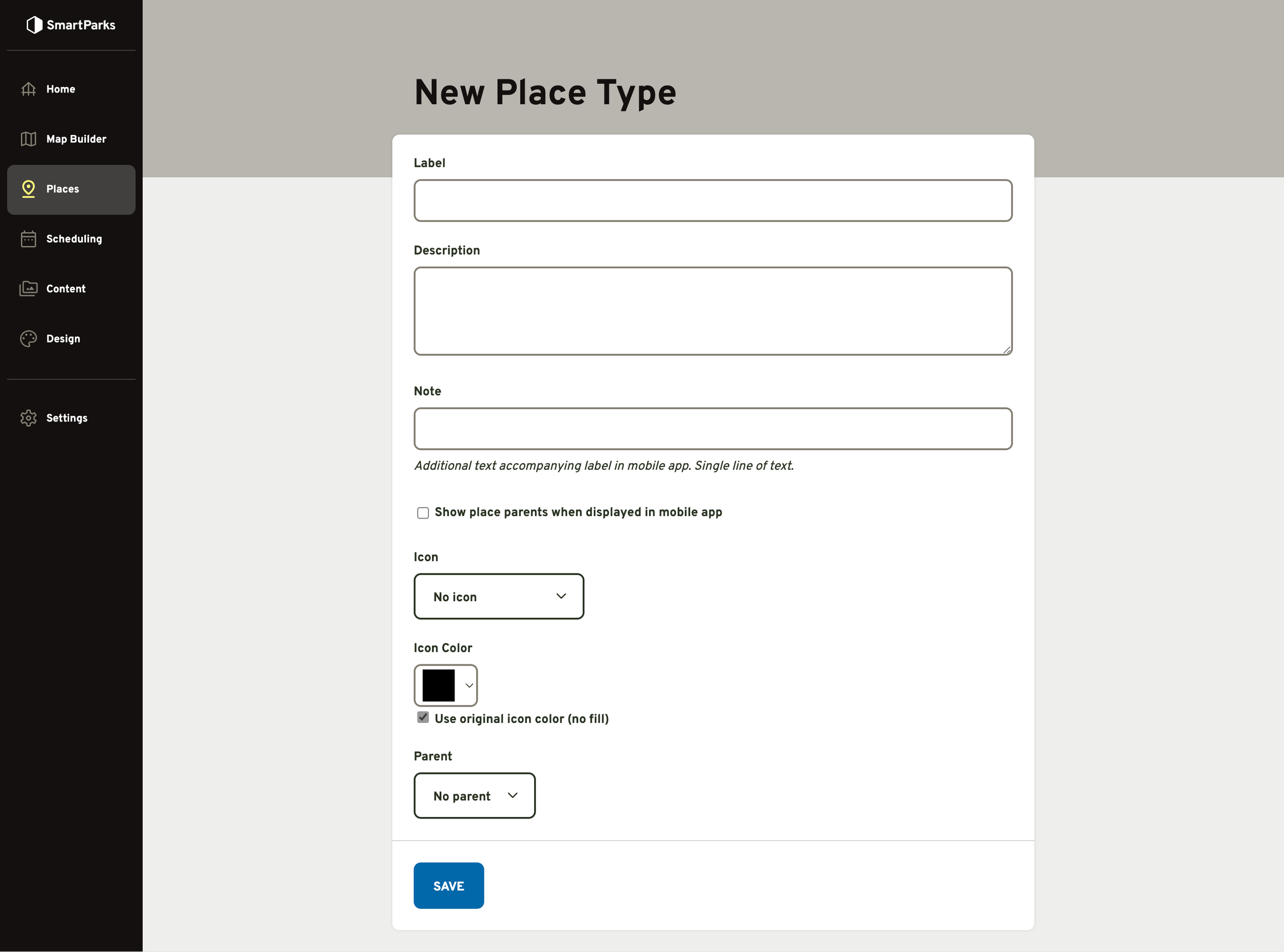
Fill out the form and click the “Save” button at the bottom
Label (required): This is the name for the Place Type. It is displayed to guests.
Description (optional): This description field is used as a default description for places within this Place Type. If a Place Type has a description present and the individual place does not, this description will be used. If the Place has it’s own description, that will override the Place Type description.
Note (optional): This will be displayed to guests in small text below the Label.
“Show place parent…” toggle: On Place Type detail screens, you can choose whether or not to display the parent of that Place Type.
Icon: If an icon is selected, it will be displayed to the left of the label.
Color: This color pickers allows you to lay a single, flat color over the shape of the icon.
“Use original icon color” toggle: Icon files (SVG) can have embedded color information, including multiple colors. If this is checked, the system will use the files embedded colors. If this is not checked, the system will use the color selected above.
Parent: If a parent is selected, then the Place Type will be treated as a second level one. Only top-level Place Types can be selected in this field.