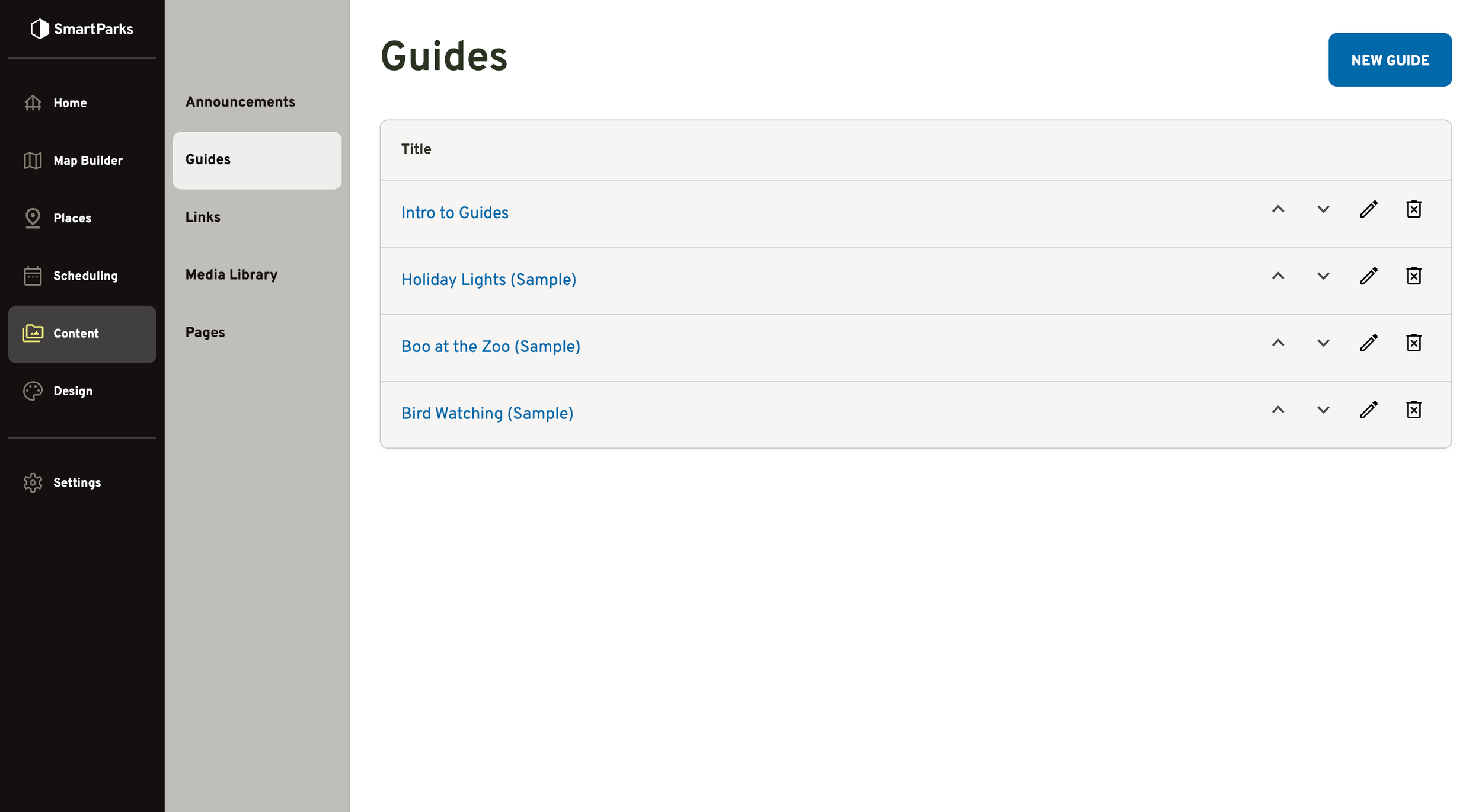
Guides
Overview
Guides allow you to package together a group of pages into a handy little “book” to give user’s a fun and useful experience during their visit. For example, Guides can be used to create self-guided tours, to supplement special events, or to build scavenger hunts.
For more info about what they look like in the mobile app, see our sample guides here.
How to Create a New Guide
Go to Content > Guides in the main navigation
Click the “New Guide” button in the top right
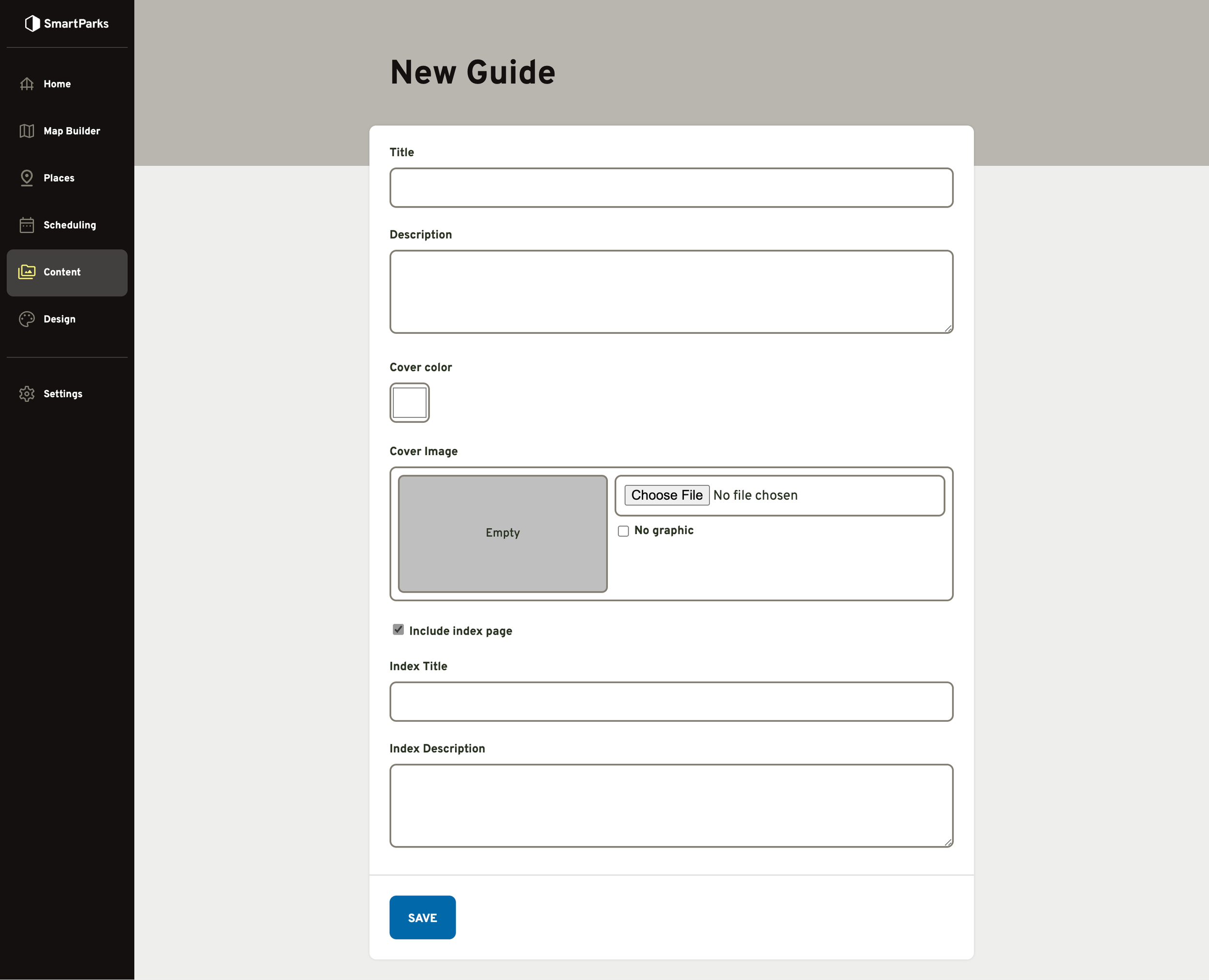
Fill out the form and click the “Save” button at the bottom
Title: This is the name of the guide that will be shown to visitors. If no cover image is selected, the title will be displayed on the cover.
Description (optional): This description is displayed below the cover image on the Guides index page. If no description is provided, the title will be shown as the default.
Cover Color: This is the background color for the cover page.
Cover Image (optional): This image will replace the title on the cover if provided. The recommended resolution is 960px width by 1680px height if using a PNG or JPG. If you using an SVG (preferred), the aspect ratio should be 1.75:1 (height:width). Transparencies may be used in cover images, which will allow the cover color to show through. It is good practice to set the cover color to match the cover image since it will visible to visitors momentarily as images load.
“Include index page” toggle: If selected, the first page after the cover in the guide will be an index with links to all the other pages in the guide. If you want the guide to start with the first custom page, then keep this unselected.
Index Title: This is the heading that will be displayed at the top of the index page.
Index Description (optional): This description will be placed at the top of the index page above the link list. This is a rich text field that supports formatting and media.
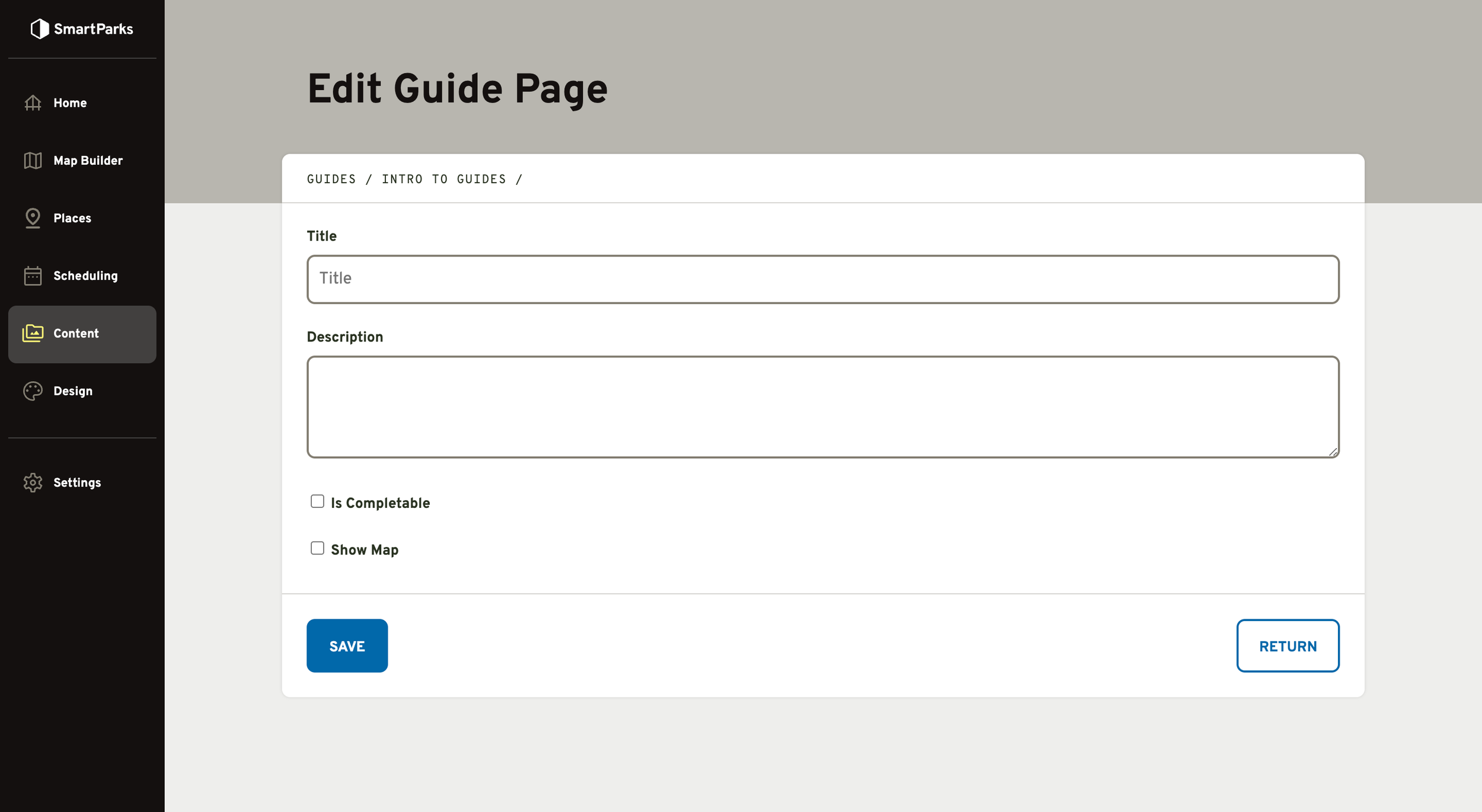
How to Create a New Guide Page
Go to Guides list, click the name of the Guide you want to edit
Click the “New Page” button at the bottom of the list
Fill out the form and click the “Save” button at the bottom of the form
Title: This is displayed at the top of the page.
Description (optional): This will be placed at the top of the page below the title. This is a rich text field that supports formatting and media.
“Is Completable” toggle (optional): If selected, a button will appear at the top of that allows users to “complete” the page (like a todo list).
“Show Map” toggle (optional): If selected, a map thumbnail will be shown below the description on the page. Visitors will be able to expand the thumbnail map image to get to a full-screen view.
Map: This dropdown contains all of the maps that you’ve created.
Set Position: Clicking on the map will set the X/Y position fields. The fields can be used to fine tune the position if clicking on the map in the exact spot is hard to do on the device you’re using.
How to Promote Your Guide
Guides are not automatically linked from anywhere within the app. In order to drive visitors to your Guides, you’ll need to create these links. There are a few places you may choose to link to:
Guides Index: An index of all the guides you’ve created exists at /guides
Guide Starting Page: You can deep link into a specific guide at /guides/[Guide ID]/checklist
Specific Guide Page: You
From within the app, you have a few options for linking to guides. Note: You should use relative URLs for these (i.e. don’t include the domain).
Homepage / Pages: In the URL field on Page Links
Announcements: In the message field
Place Pages: In the description field
Event Pages: In the description field
From outside the app, you can promote links to Guides. Note: You should use absolute URLs for these (ex. map.yourzoo.com/guides/1/checklist).