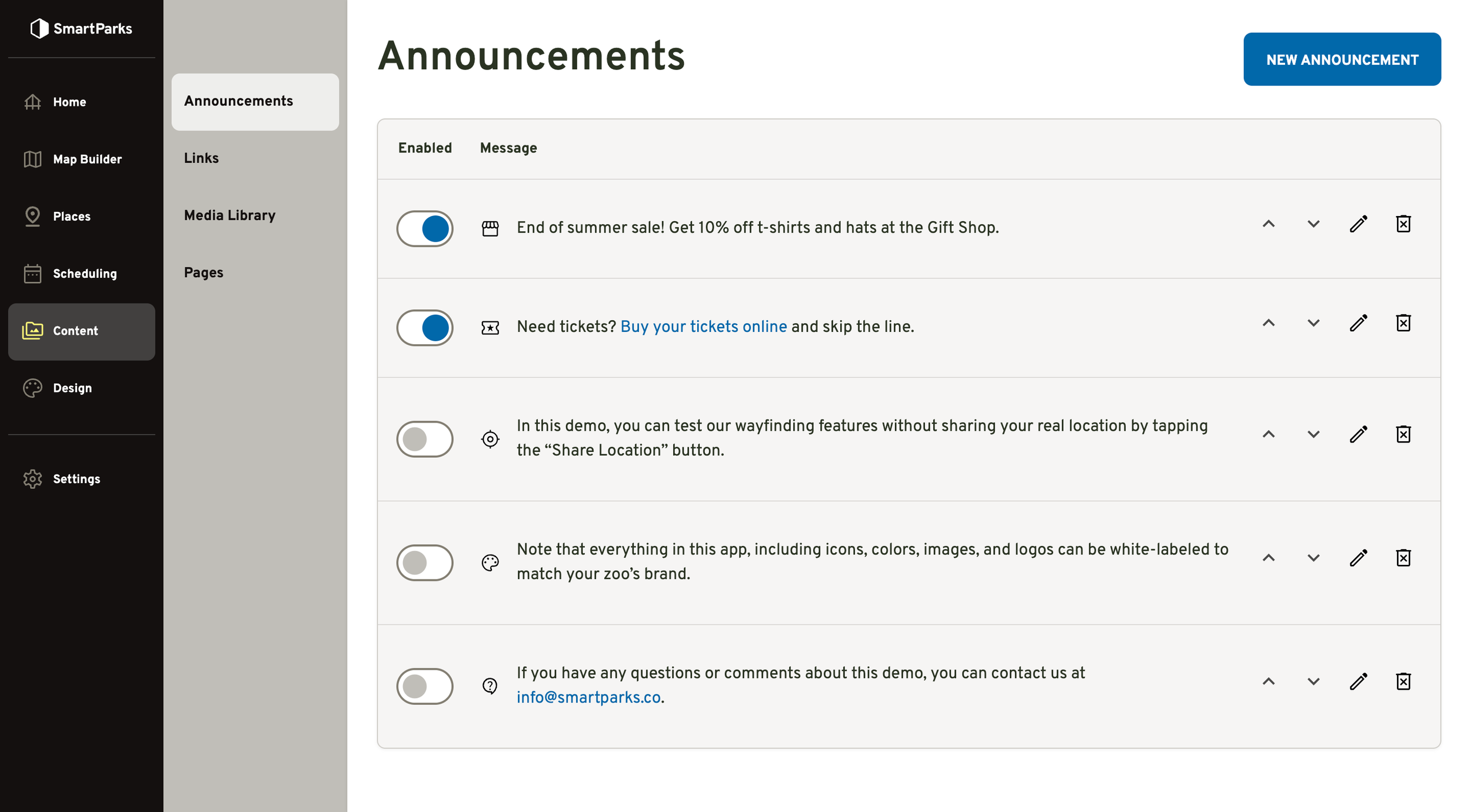
Announcements
Overview
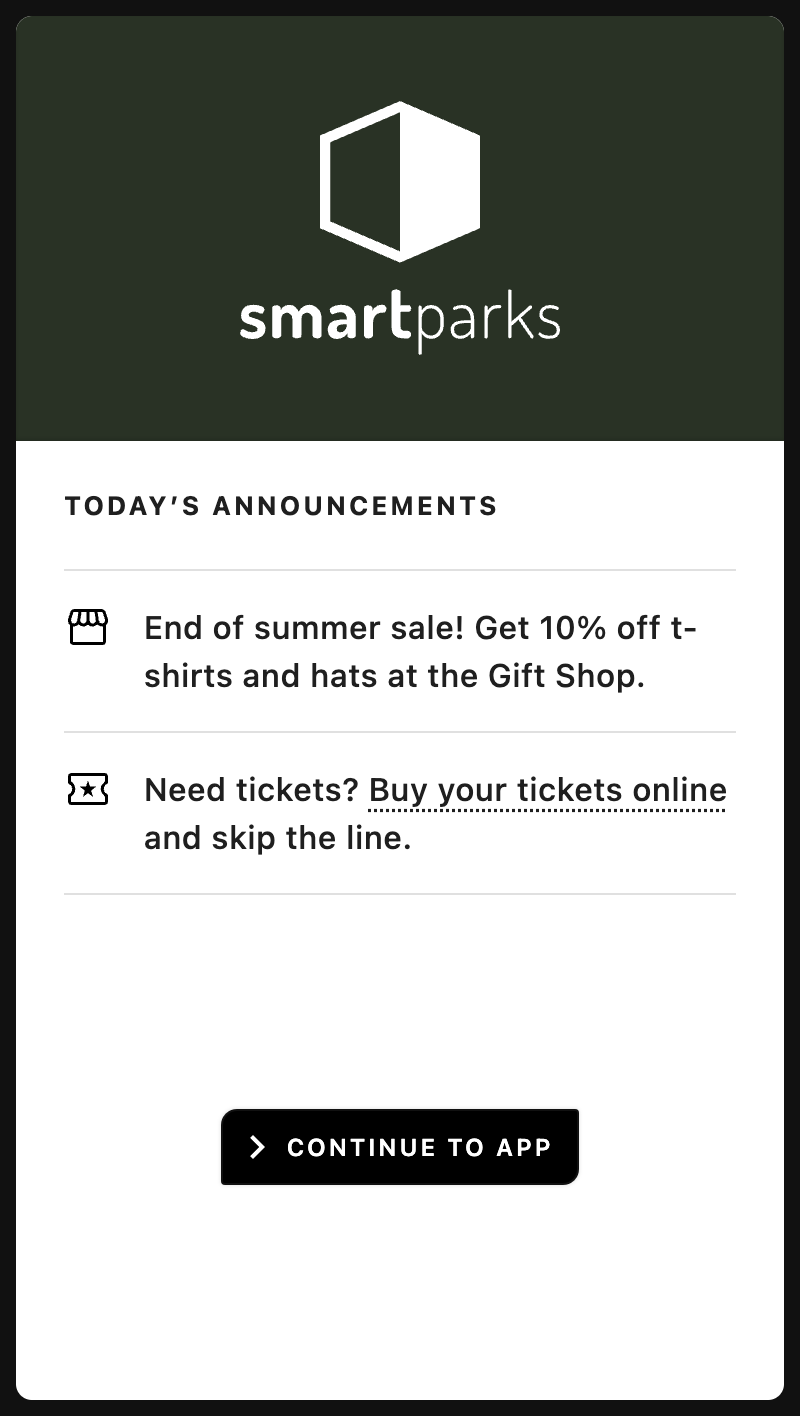
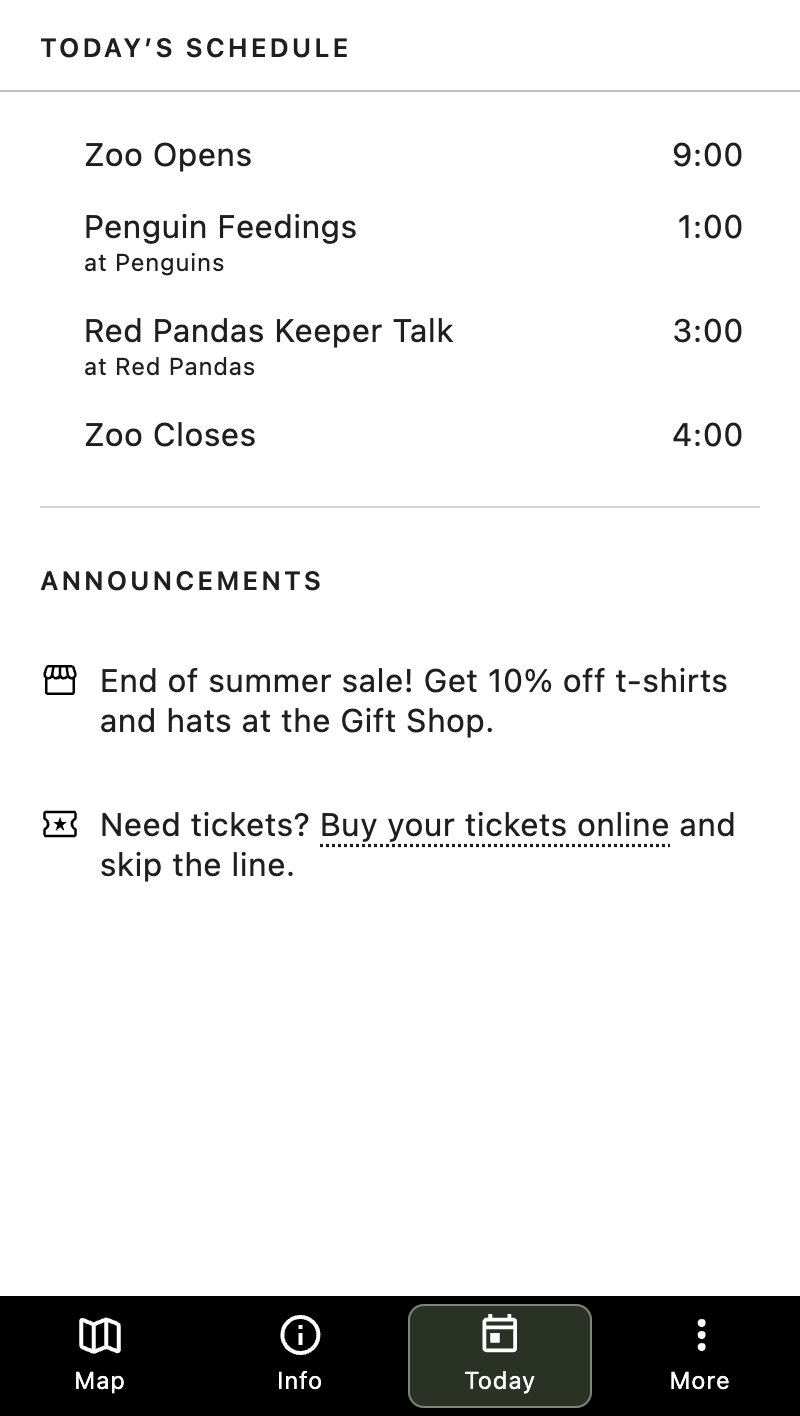
Announcements are short messages that help you convey important information to guests through the mobile web app. They are displayed in two places. They are first displayed to guests via an interstitial screen when they first go to the app. Secondarily, they are displayed below the events schedule on the Today tab.
How to Create a New Announcement
Go to Content > Announcements in the main navigation
Click the “New Announcement” button in the top right
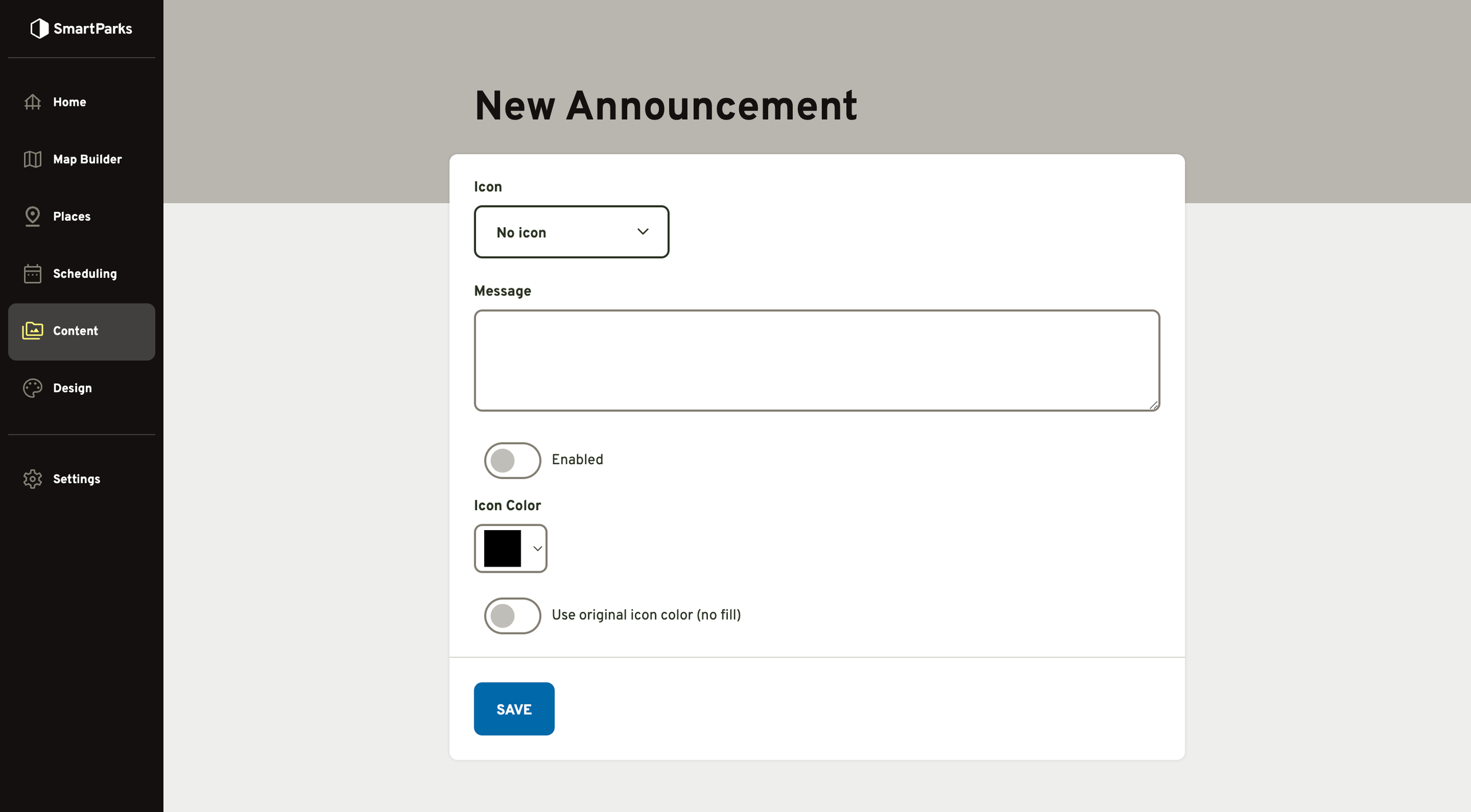
Fill out the form and click the “Save” button at the bottom
Icon (optional): This is a small icon that will be displayed to the left of the announcement.
Message (required): This is the message that will be displayed. This field supports markdown formatting.
Enabled/Disabled Toggle: By default, this is set to disabled. Only enabled icons will be displayed publicly.
Icon Color: By default, this is set to black. Clicking the color swatch will bring up a color picker modal.
‘Use original icon color” Toggle: When this is toggled on, the system will ignore the icon color and instead use the icon colors embedded in the SVG file. This allows icons to have multiple colors rather than a single flat color overlay.
How to Manage Announcements
To Reorder: Click the up or down arrows on the right. The new order will automatically be saved.
To Enable or Disable: Click the toggle button on the left. When the circle is blue and on the right side, it is enabled.
To Edit: Click the pen icon on the right.
To Delete: Click the trash can icon with an X on the right.